





InvaderHunter

Lyon

Invaders in Lyon: mosaic guide and map in the app

Planning an Invader hunt in Lyon? The LY catalog below helps you separate the mosaics recorded as visible from older pieces that are damaged or gone, before you choose your walking route.

Mosaics
48
Still visible
17
Total points
640
Open Lyon in InvaderHunter

Already installed? The city opens directly on the map.

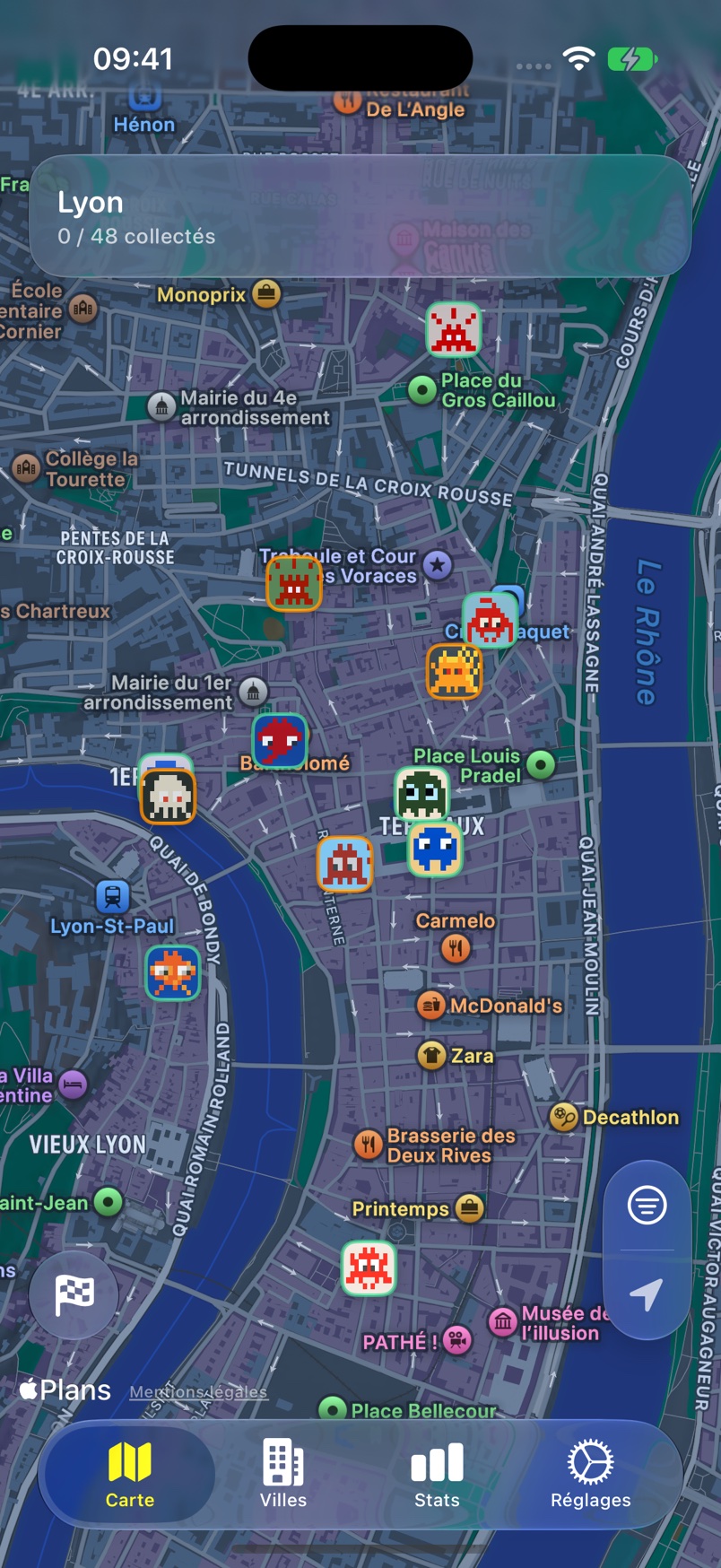
Lyon map in InvaderHunter showing neighbourhood mosaics
Lyon in the InvaderHunter iPhone app. Actual screenshot, French interface.

A few mosaics from the catalog

Use the LY identifiers to prepare

Lyon's catalog uses LY identifiers. Open a mosaic's page to check its points, installation information and recorded status, then add the ones that interest you to your plans. The list preserves older entries too, so the total is not the number you can necessarily flash today.

Keep the walk practical

Lyon's rivers and hills make a short distance on a map different from a short walk. Group your targets in one area and use pedestrian directions to check crossings and climbs before linking distant mosaics. Allow time to look up and recognize each piece.

Turn the list into a personal hunt

Open Lyon in InvaderHunter and check your city access. An imported collection helps you focus on missing mosaics; recorded statuses help you decide which stops to keep. Use FlashInvaders to validate your flashes during the walk.

Frequently asked questions

Where is the interactive map?

Browse the list and previews here. Open InvaderHunter on iPhone for the map, collection filters and route planner. Access depends on the cities you have unlocked in the app.

Are all the mosaics still visible?

Not necessarily. The catalog also retains destroyed, damaged and hidden pieces. The visible count reflects recorded statuses, which may lag behind changes on the street.

Open Lyon in InvaderHunter

All invaders